Documents / Templates
Documents with clear structure
Write Markdown, create an editable Word document, and render a PDF directly with Pandoc.
Templates and examples
The A4 Word reference is adapted from the IVR/Teamwright reference structure with DejaVu Sans typography, cobalt headings, a Small Council symbol/name header, later-page title field, and page-number footer. It is a style reference, not a body-content template. The independent XeLaTeX header supplies Small Council typography and colors for direct PDF output.
| Resource | Download |
|---|---|
| Editable Word reference | DOCX |
| PDF styling header | LaTeX |
| Sample source | Markdown |
| Sample illustration | PNG · SVG |
| Generated sample | DOCX · PDF |
| Independent AI instructions | sc-documents skill |
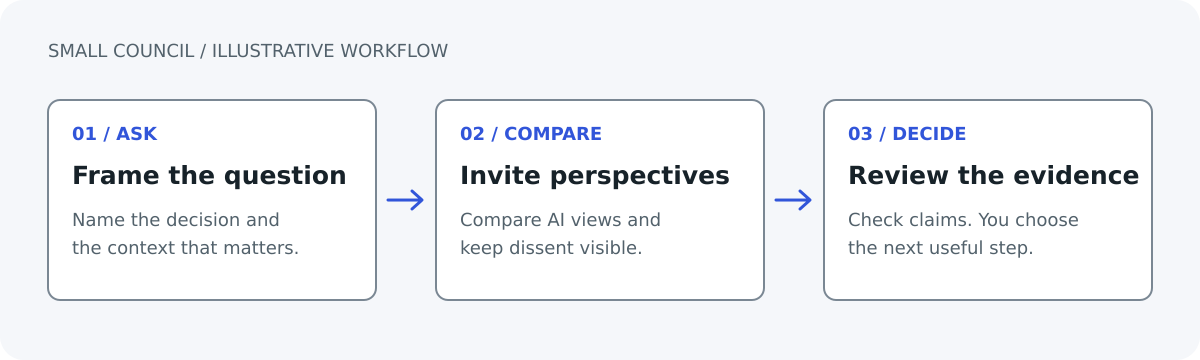
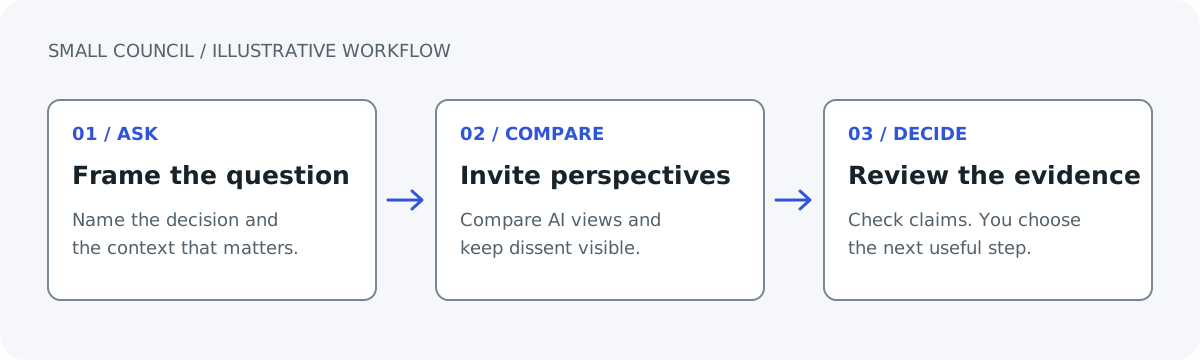
Tools and fonts
Use Pandoc 3.x for Word. PDF additionally needs XeLaTeX and the packages supplied by a TeX distribution. Install the DejaVu Sans desktop fonts; code uses the separately available DejaVu Sans Mono family. Font CSS does not install desktop fonts.
Neither conversion requires a helper script. Templates and generated samples are maintained files; normal website builds copy them unchanged.
Create DOCX
Download report.md, sc-workflow.png, and sc-document-reference.docx into your working folder:
pandoc "report.md" --standalone \
  --reference-doc="sc-document-reference.docx" --resource-path=. \
  -o "sc-report.docx"
Create PDF
Download sc-document.tex into that folder:
pandoc "report.md" --standalone --pdf-engine=xelatex \
  -V mainfont="DejaVu Sans" -V monofont="DejaVu Sans Mono" \
  -V fontsize=11pt -V papersize=a4 -V geometry:margin=1in \
  --include-in-header="sc-document.tex" --resource-path=. \
  -o "sc-report.pdf"
The Word reference does not style this PDF; XeLaTeX has independent pagination and headers. Word custom styles such as Callout retain their text in PDF but do not automatically transfer shading or other Word formatting.
Structure and typography
The repository also preserves the reference projects’ optional convenience: make document INPUT=brief.md OUTPUT=build/brief.docx. For a .pdf output, scripts/render.sh renders the Word file using LibreOffice; this differs from the direct XeLaTeX PDF shown here. Pandoc defaults live in sc-document-defaults.yaml. Normal website builds copy maintained examples and do not invoke either renderer.
Use DejaVu Sans 28pt title, 12pt subtitle, 16/13/11pt headings, 11pt body, and 9pt captions. Keep long text left-aligned, tables narrow, figures captioned, and sources explicit. A4 uses 1-inch margins. Public output does not have an automatic Confidential footer.
The reference contains Callout paragraph and Label character styles. Modify named styles in Word/Writer for reusable changes. Refresh the Word TITLE field when needed. Review both renderers separately after changing page size.
Inspect the example
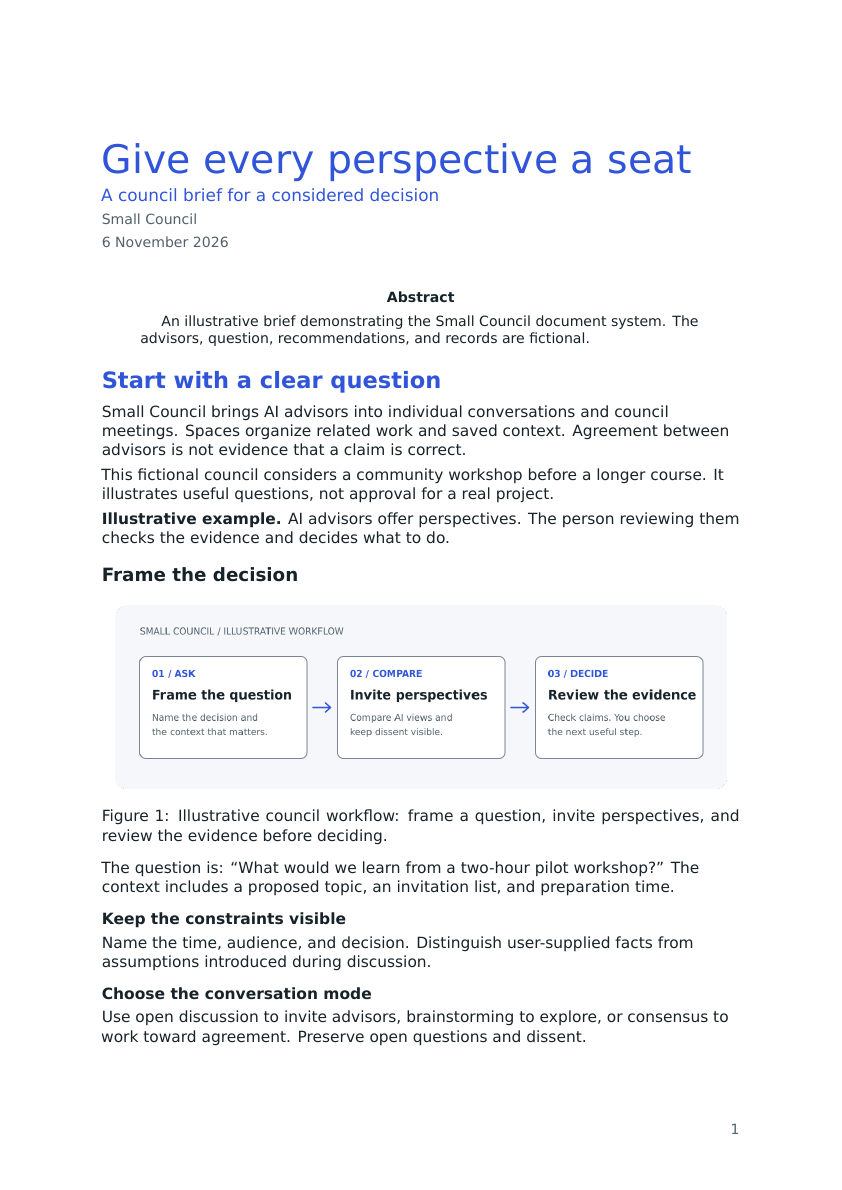
The preview is a XeLaTeX rendering, not a Microsoft Word screenshot. Check headings, tables, code, footnotes, fonts, page numbers, and page breaks in every requested format. Office package/XML validation and PDF inspection do not replace Microsoft Word validation.